Refused
Platform
Everything that touches your data, in one place.
Your knowledge, assistants and tools run in one system. One rule decides where your data lives, and you can open the record of everything that happened.
-
01Document
PDF, DOCX, Markdown or a scan
-
02Redaction review
A person decides every finding
-
03Approved segments
The index gets a placeholder, not the original
01 · Knowledge
Knowledge
Bring the files you already have and get answers that cite them. Files are uploaded, cleaned, split, reviewed and indexed in that order, so in review mode nothing is searchable before you have decided what may be read. Redaction is on by default: findings above your threshold are replaced and the rest wait. Switch a collection to review and a person approves every finding before anything is indexed. Set it to off and the text is indexed unchanged.
- PDF, DOCX, Markdown and HTML
- Email, IBAN, citizen number, Dutch phone, date and your own terms detected
- A person approves each finding in review mode
Nederlandse documenten worden als tekst doorzocht, en een assistent kan in het Nederlands antwoorden. De controle op persoonsgegevens herkent onder meer Nederlandse BSN's. In reviewmodus beoordeelt een reviewer elke gevonden waarde voordat er iets wordt geïndexeerd.
-
01Instructions and bindings
Your knowledge, tools and tone
-
02Model route
The route picks the model
-
03Cited answer
With its sources and its cost
02 · Assistants
Assistants
An assistant combines your instructions, knowledge and tools, picks a model per question and records the cost.
- Your own instructions and tone per organisation
- The right model per task, with the cost on every reply
- Scheduled work in each trigger’s own timezone
-
01Named credential
Held by name, never in a prompt
-
02Boundary check
Private addresses are refused
-
03Recorded call
The call and its result are written down
03 · Tools
Tools
Connect your systems through actions you choose, with a credential you name.
- Build an HTTP request from typed fields
- MCP servers, with each action switched on or off
- Credentials by name, never in a prompt
-
01Actor and action
Who asked, and what for
-
02Chained ledger row
Linked to the entry before it
-
03CSV export
The whole chain, in one file
04 · Governance
Governance
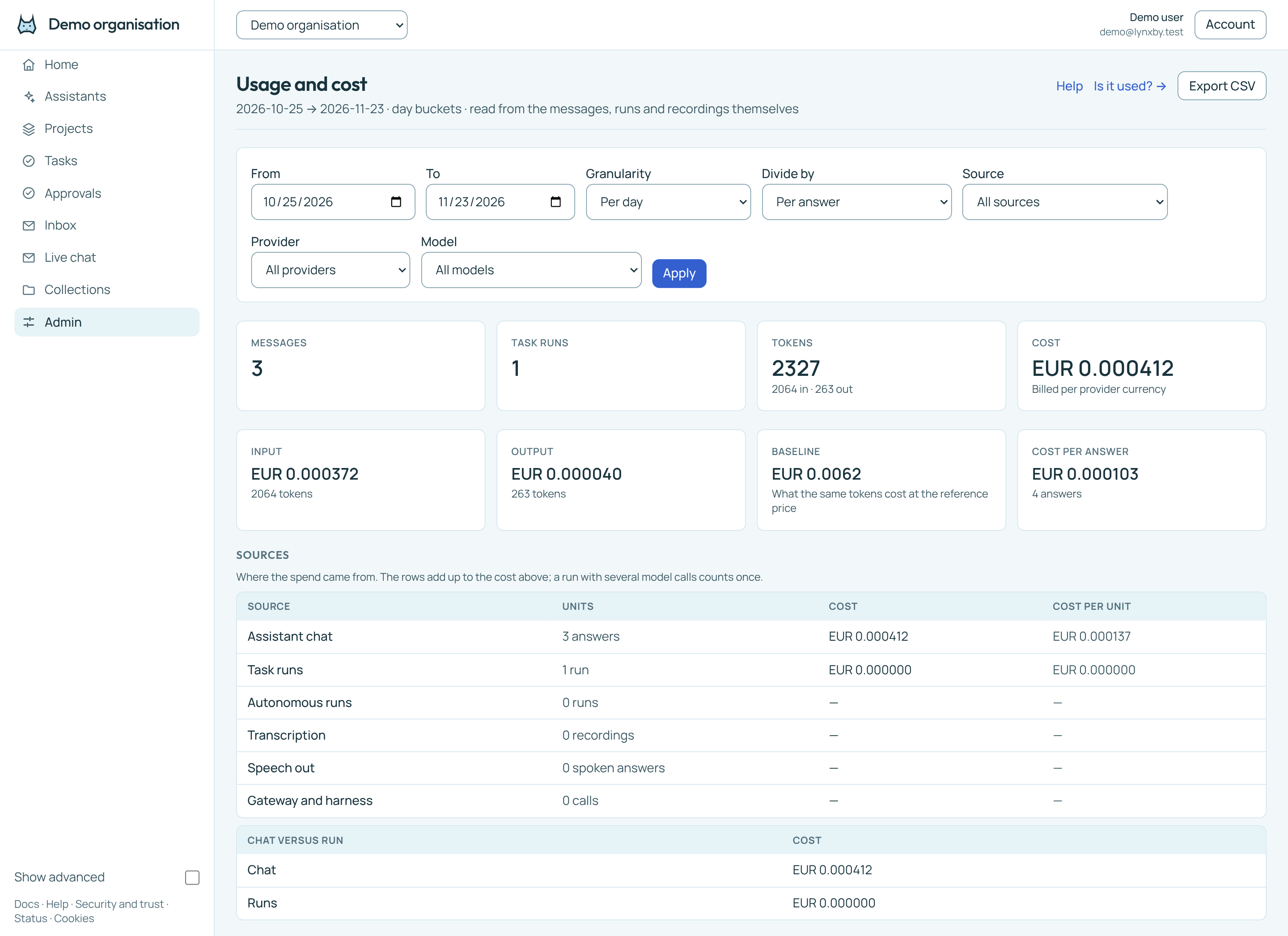
The record shows who asked, which model replied, which tool ran and what was removed.
- A record that cannot be edited or deleted
- Verification in one command
- Retention rules per organisation
-
01Organisation
A client can have its own
-
02Groups and permissions
Roles follow from the groups
-
03Scoped records
Separated in the data layer
05 · Tenancy
Tenancy
Each organisation is separated in the data layer itself.
- Separation enforced in the database
- A child organisation per client
- Roles through groups and permissions
-
01Incoming thread
From the shared mailbox
-
02Assistant draft
From your knowledge and your tone
-
03Person sends
No setting sends it for you
06 · Inbox
Inbox
Your team keeps working from the shared mailbox: each email becomes a thread, the assistant drafts a reply in your style from your knowledge, and a person edits and sends it.
- Gmail and Microsoft, through OAuth
- One assistant per mailbox
- Threads kept together by sender and subject
“Be able to prove what happened.”
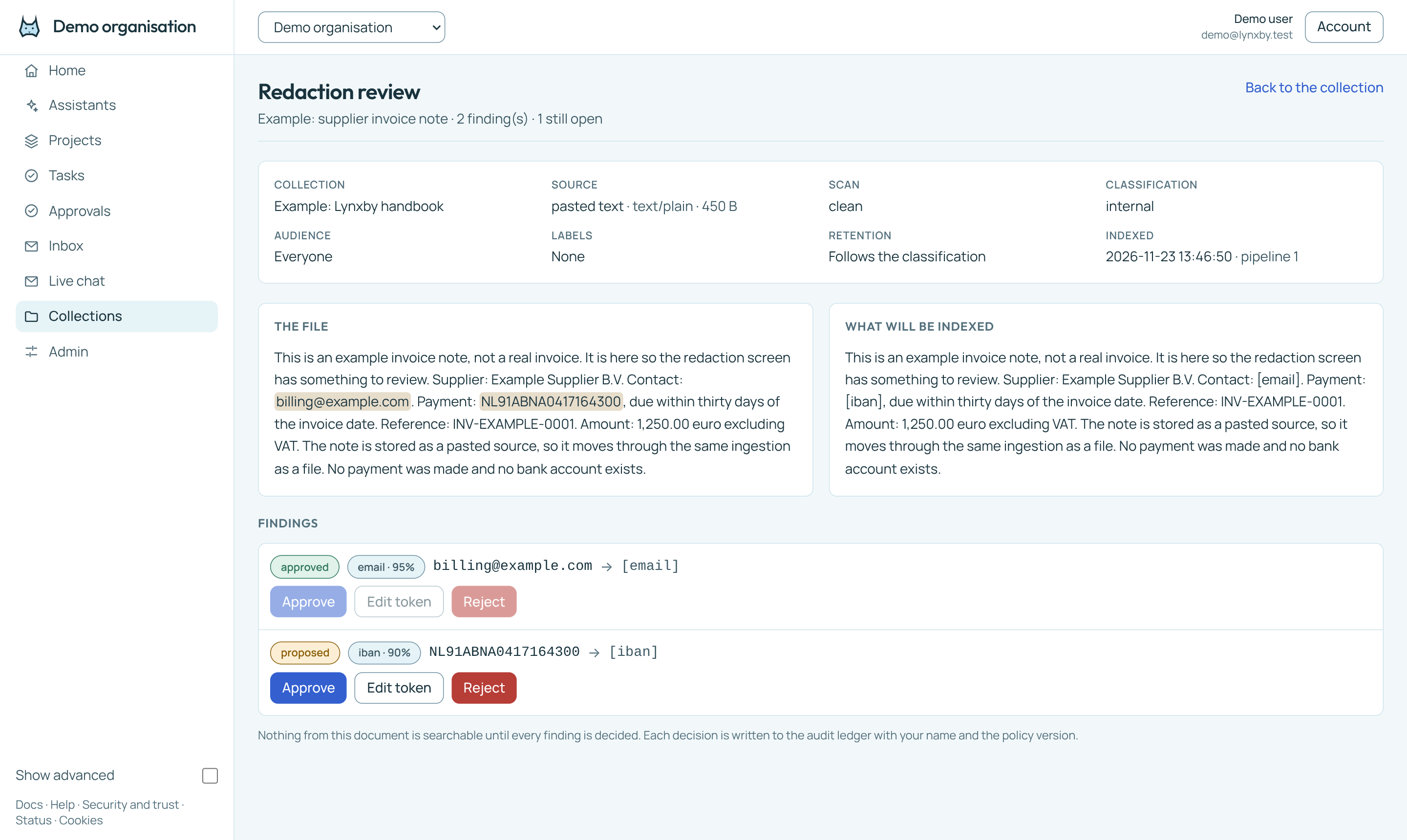
A document under review
In review mode, each finding waits for a person. Here a supplier note holds an email address and a bank account. The reviewer approves the email address, and only then does the redacted text reach the search index.
What it refuses.
Refused
A request to an internal address
Refused
A tool call without a person behind it
Refused
Keeping a copy of your documents outside the EU
See it work on your own documents.
Do you have a collection and one hard question about it? Get in touch, and we'll show you the redaction, the record and the export, in that order.