Assistant
Answers from your own documents, with the cost on every reply.
You give an assistant instructions, documents and tools. It answers from those documents, with the model your routing picks. Each reply shows the tokens it used and what the call cost.
1
record on each reply, with its tokens, provider and cost
€10
of AI credit per active user each month, or your own provider key
1
trail that links each prompt, tool call and answer
0
calls outside the EU when a route is set to EU-only
Captured from a sample workspace
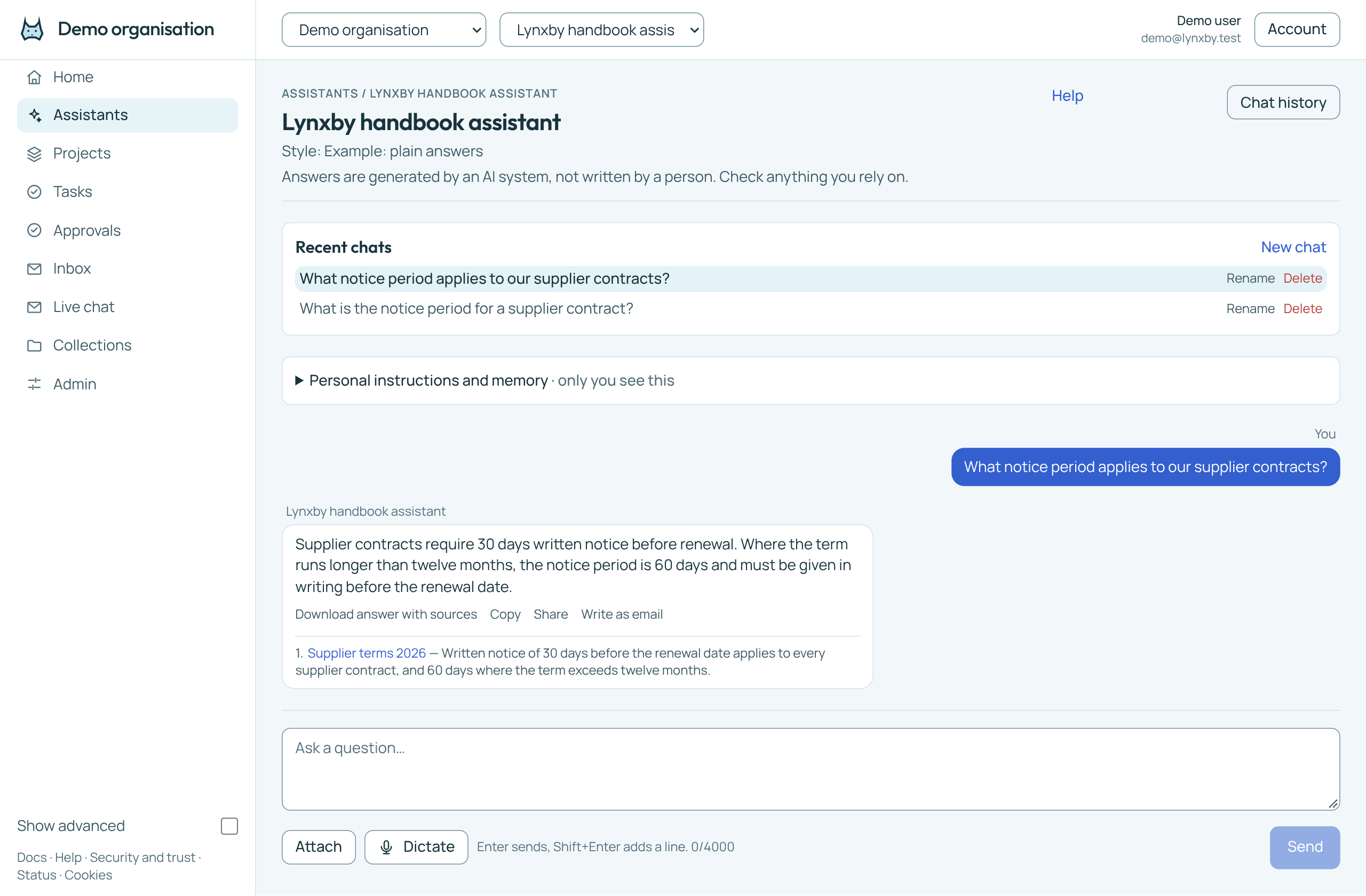
You ask a question and see the passage behind the answer.
The assistant only searches the collections you bound to it. It answers in plain language and puts the citation under the answer. The reply also shows the model that wrote it, the tokens and the cost, and you can download it with its sources.
“You should always be able to see where an answer came from.”
You decide what it knows.
You build an assistant from three parts, and you control each of them.
- Instructions. The tone, the limits and the role of this assistant, written for your organisation and stored with it.
- Knowledge. Only the collections you bind are searched.
- Tools. A connector action or an MCP server is offered only while it is bound and switched on.
It writes the way your team writes.
Pick a style and the assistant writes in it.
- Direct style uses factual sentences.
- Warm style sounds more conversational.
- Short style gives the same answer in fewer words.
An empty chat suggests three questions.
You don’t have to think up the first question yourself.
- Written for this assistant. They come from its instructions and the collections, connectors and tools bound to it. Lynxby generates them on demand instead of on every page load.
- Only what it can answer. The model sees exactly what it may look up and call, so a suggestion never asks about a source the assistant can’t see.
- Recorded like any question. Clicking one sends it as your message, with the suggestion attached, on the same record.
You can also ask out loud.
What you say becomes your message, and what the assistant says becomes its reply. It’s a normal turn in the chat.
- One state at a time. The screen shows whether it’s listening, thinking, speaking or stopped.
- The transcript is the record. You can read the whole conversation back in the chat history.
- Billed both ways. Transcription is billed per minute and speech per character. Each gets its own line on the usage report.
Put the assistant on your own site.
Show it as a button in the corner or as a full page. Both use the colour theme you set for that assistant.
- Corner widget. A button opens the conversation in a frame over your page.
- Full page. The assistant gets its own URL, without the app around it. It’s framed where you place the snippet, at 720 pixels and higher.
- Lynxby. The default theme has a deep blue header, a white chat and blue quick actions.
Some questions need a person.
When that happens, a colleague takes over and sees the whole conversation.
- One transcript. Your colleague reads every message the assistant saw. Their reply is the next turn in the same thread.
- The assistant steps back. While the chat waits for a person, or a person has it, the model isn’t called again.
- The team gets a mail. As soon as a visitor joins the queue, the addresses set on the assistant get one mail.
You always know what an answer cost.
Your plan pays for the platform: user slots, storage, the record and the tools. Model usage comes out of your organisation’s AI wallet, or out of your own provider account if you connect one.
- A plan covers user slots, storage and platform tools.
- Each active user adds €10 a month to the AI wallet. Beyond that, you pay the provider rate plus 10%.
- Each reply records its model, tokens and cost.
What it won’t do.
The person using it can see these limits in the product itself.
- Search outside its bindings. It doesn’t search a collection you haven’t bound to it.
- Leave the EU unasked. An EU-only route skips providers outside the EU. If no step qualifies, it refuses the call.
- Act without a name. Each tool call is linked to the person behind it. A blocked call is recorded, and it isn’t retried silently.
Questions you might have.
Here are the short answers.
- Who pays for the model? Your provider account pays for model calls, under your own agreement.
- Who picks the model? Routing picks one within the limits you set, and the reply shows which one.
- Can you check it later? Yes. The reply keeps its usage, and the record keeps everything else.
Want to see what an answer from your own documents costs?
Send us one document and one question. We’ll show you the answer, its citations and the recorded cost. Get in touch and we’ll be happy to help!